
Delete spam calendar invitations
Declining a spam invitation sends a reply, which tells the sender your calendar is real. Delete as Spam removes the invitation without replying.
- Touch and hold the invitation.
- Tap Delete as Spam.
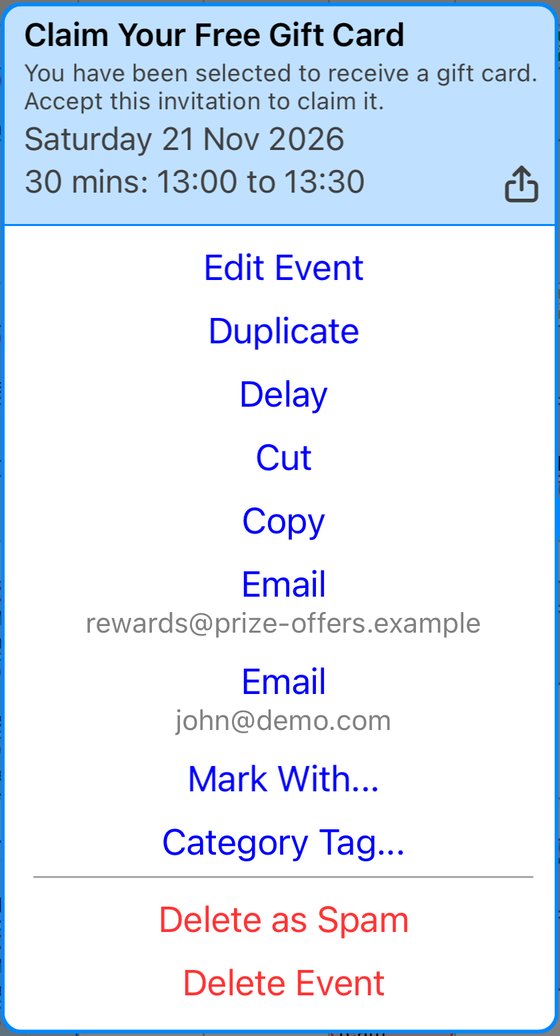
- Tap Delete as Spam again to confirm.
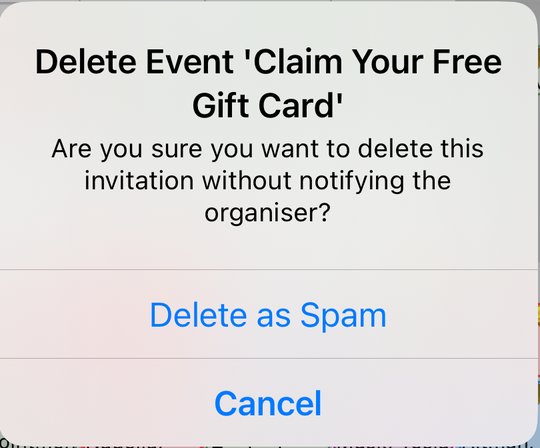
If you don't see Delete as Spam
It only appears for invitations you haven't answered, from someone who isn't in your contacts. For anything else, use Delete Event.
Spam calendars
If the spam comes from a calendar you were tricked into subscribing to, remove the subscription in your iPhone's settings: Settings > Apps > Calendar > Calendar Accounts > Subscribed Calendars, tap the calendar, then Delete Account. On iOS 17 or earlier, start from Settings > Calendar > Accounts.
More app how to guides.