
Get directions to an event
If an event has a location, you can open it in your maps app in two taps.
- Touch and hold the event in any view.
- Under the location, tap Apple Maps, or Google Maps or Waze if you have them installed.
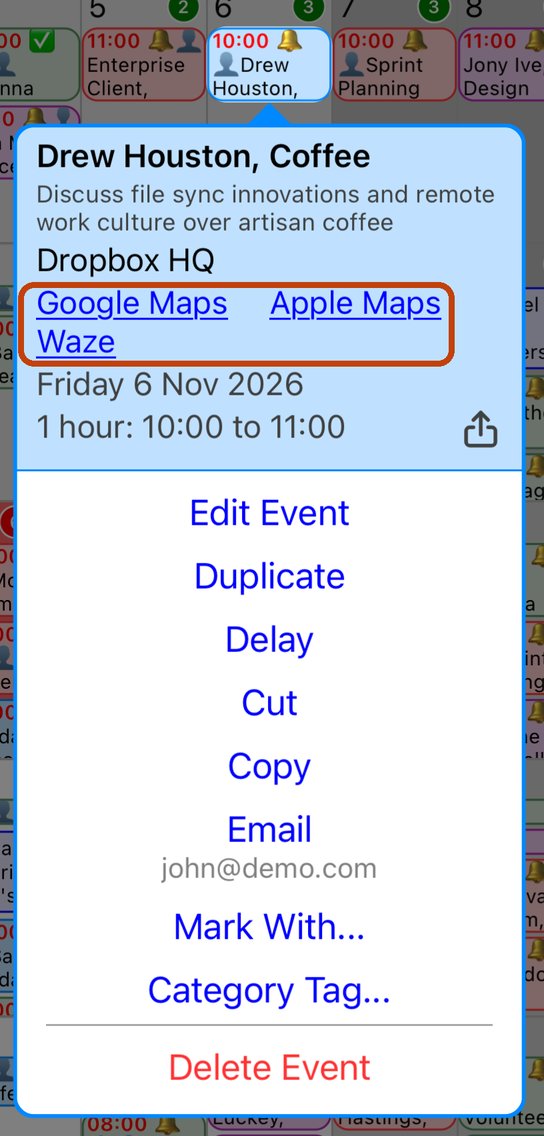
The maps app opens with the location searched for, ready for directions.
If a link is missing
- The links only appear when the event has a location. Tap the event to edit it and add one.
- Google Maps and Waze only appear when those apps are installed on your iPhone.
More app how to guides.